assign new SSL cert on Cisco IronPort ESA
7 Replies
Issue: After completing the steps to install a new SSL certificate on your Cisco IronPort ESA you need to assign the certificate to the various Cisco IronPort functions that require encryption (email communications, TLS, Quarantine and admin web pages).
Activating the new SSL Certificate:
To assign the new certificate for inbound SMTP email communication, open Network > Listeners and select the new certificate
Assign the certificate for use in Outbound TLS based email communications:
Mail Read more [...]
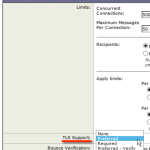 These steps walk you through configuring TLS encryption on email communication with specific partner domains or configuring TLS for all Outbound and Inbound email.
TLS for Incoming Mail
Receiving mail is controlled by the HAT Overview/Mail Flow Policies. In other words, when hosts attempting to send mail to your organization connect to your Ironport appliance.
setup TLS encryption for all inbound email
I chose to set TLS Preferred across the board by enabling TLS on my ‘Accepted’ and
These steps walk you through configuring TLS encryption on email communication with specific partner domains or configuring TLS for all Outbound and Inbound email.
TLS for Incoming Mail
Receiving mail is controlled by the HAT Overview/Mail Flow Policies. In other words, when hosts attempting to send mail to your organization connect to your Ironport appliance.
setup TLS encryption for all inbound email
I chose to set TLS Preferred across the board by enabling TLS on my ‘Accepted’ and 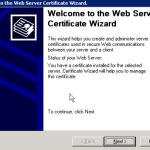 Issue: The certificate in use on your Exchange 2003 server has expired and needs to be renewed or replaced.
Background: Exchange 2003 running on Windows 2003 uses IIS 6.0, therefore the certificate is tied to the Default Website in IIS and can be renewed/replaced using IIS Manager. SSL certificates are used to encrypt http sessions allowing you to run encrypted Outlook Web Access and Activesync sessions over port 443 (HTTPS).
In order to use a certificate that will be recognized by browsers and
Issue: The certificate in use on your Exchange 2003 server has expired and needs to be renewed or replaced.
Background: Exchange 2003 running on Windows 2003 uses IIS 6.0, therefore the certificate is tied to the Default Website in IIS and can be renewed/replaced using IIS Manager. SSL certificates are used to encrypt http sessions allowing you to run encrypted Outlook Web Access and Activesync sessions over port 443 (HTTPS).
In order to use a certificate that will be recognized by browsers and